Verify
An attestation report is provided from the TEE (Trusted Execution Environment) nilCC is running in. The hardware guarantee for privacy and cryptographic proof can be verified using our Workload Manager platform.
Key Terms
- Docker Compose Hash: SHA256 hash of your Docker Compose file. It's calculated from the Docker Compose of the selected workload above.
- Measurement Hash: Attestation hash from the
/reportURL, which maps to the TEE verification.
Prerequisites
- Have a working nilCC workload running.
- Understanding of Docker and Git.
Usage
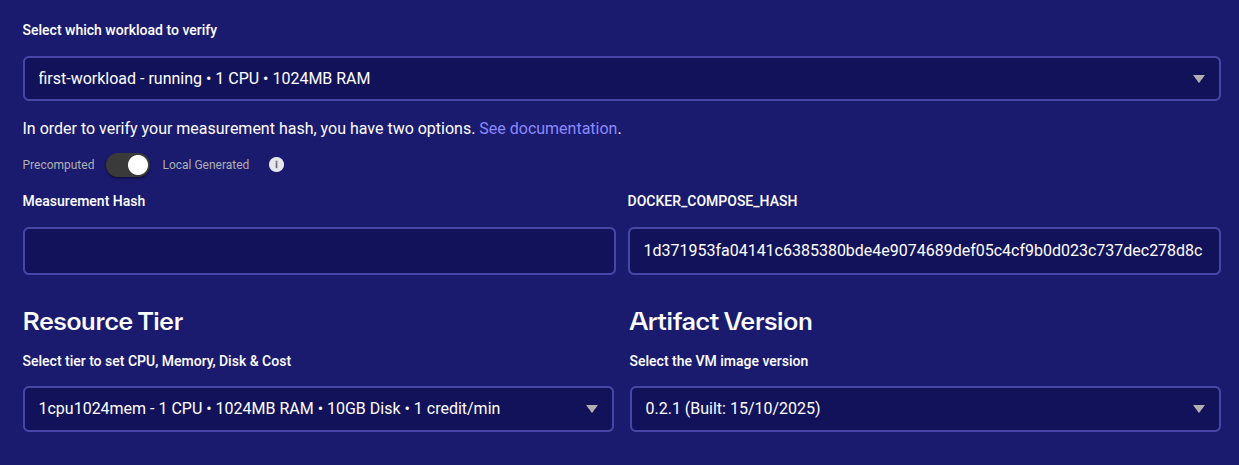
- Visit the nilCC Workload Manager platform: https://nilcc.nillion.com/verify
- You can either use a precomputed measurement hash of your workload or compute it locally yourself.
The main difference between precompute and local measurement hash is that the local one is the true attestation that your measurement hash equals the measurement hash provided by nilCC. This is the purest form of TEE attestation for a developer. We recommend precompute for a quick and easy TEE verification, but local to understand the privacy flow.
- Precompute
- Local
Precompute will rely on using your measurement hash provided by the /report URL from the nilcc workload. Simply toggle to the precompute side and it should automatically fetch it.
Local hash generation is the true verification and enables access to the Badge Embedding below as well. It can be done by following this repo example.
Following a similar structure to the repo:
    docker-compose.yaml
    scripts/local-measurement-hash.sh
To run this verification, add your docker-compose and then run the script to get your locally generated measurement hash which should output to a local-measurement-hash.json.
cd scripts
chmod +x local-measurement-hash.sh
./local-measurement-hash.sh
Badge Embedding (Optional)
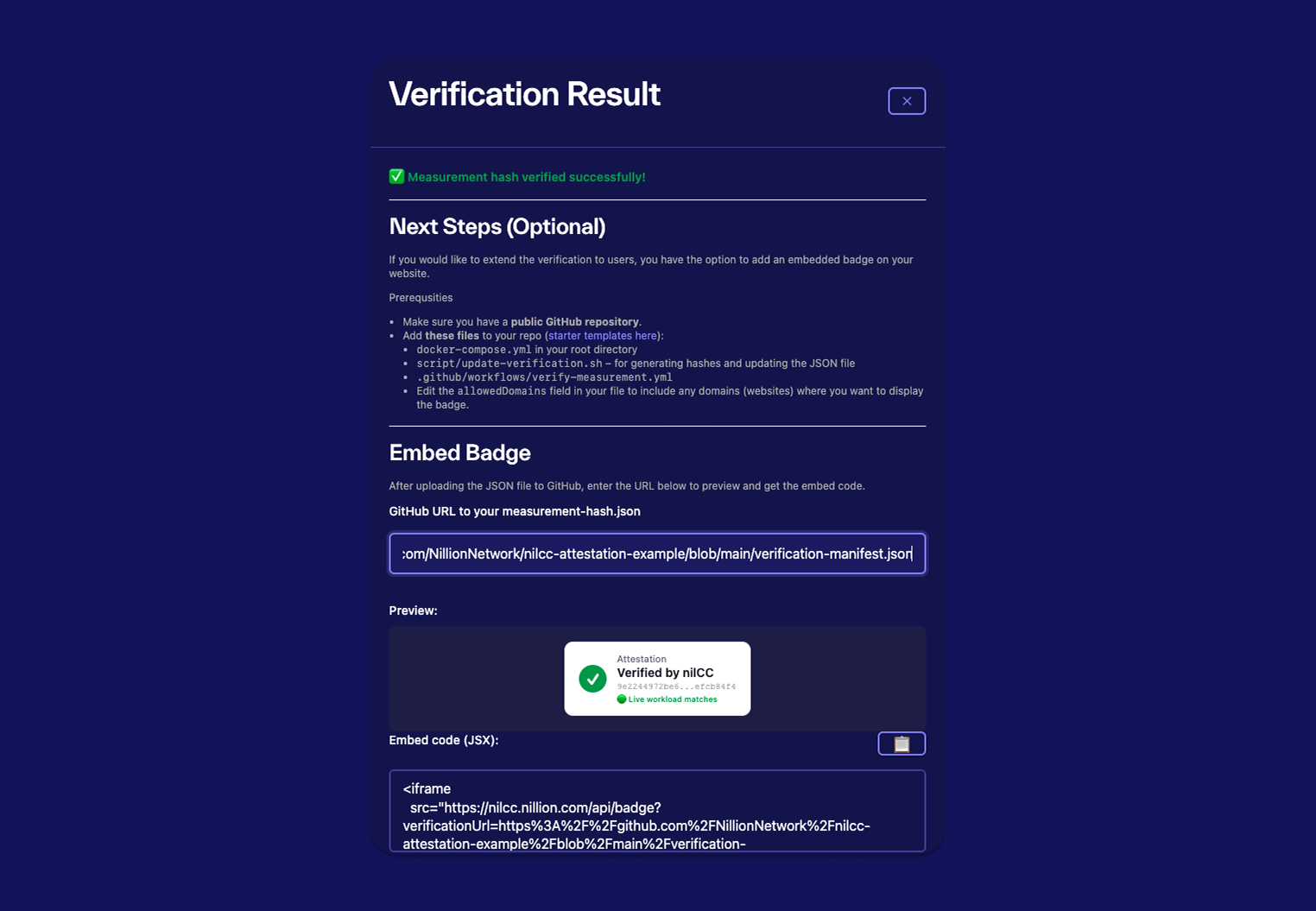
Prerequsities
- Make sure you have a public GitHub repository.
- Add these files to your repo (starter templates here):
- your
docker-compose.yamlin your root directory script/update-verification.sh. Edit theallowedDomainsfield in your file to include any domains (websites) where you want to display the badge
- your
loading...
.github/workflows/verify-measurement.yml
loading...
Usage
Try running the script locally + then push to main
cd scripts
chmod +x update-verification.sh
./update-verification-hash.sh
We can now run the Github (GH) Action Bot by tagging the version
git tag v0.1.1
git push origin v0.1.1
Increment the versioning to your preference. Then you GH Action should run and then make a PR request with the latest verification-manifest.json
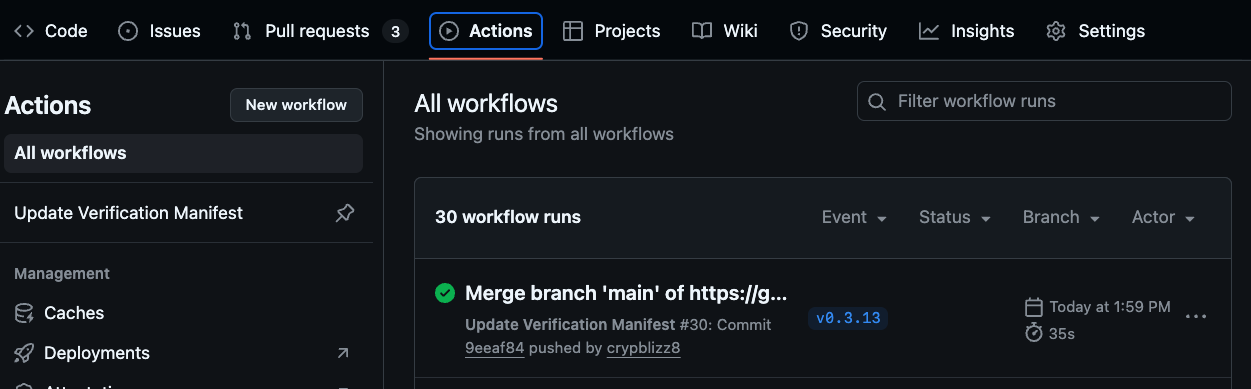 GH Action
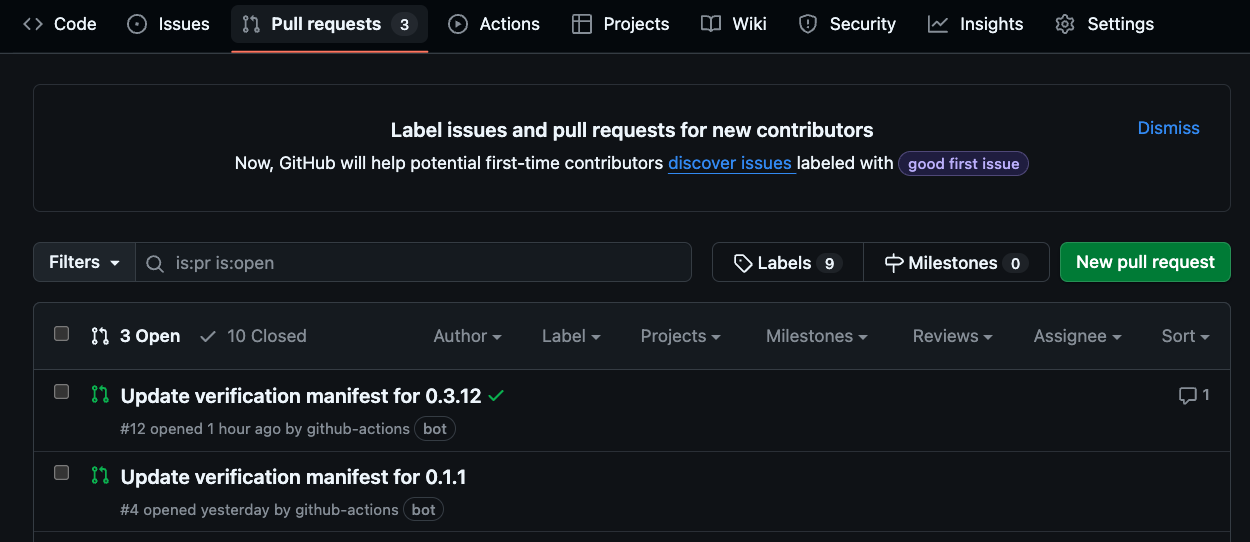 Verify PR that was auto-created by the GH Action Bot.
We can now add your public verification-manifest.json from your Github Repo to the Github URL input box. You will receive a React/JSX Code Snippet to use on your site.
Then you can embed it like this example site: https://nilcc-attestation-example.vercel.app/